
Support Article: Windows 2000 File Permission
On your Windows 2000 server you have the ability to control the file permissions on that computer. To change these file permissions so that people logging in on your server can use them you simply go to Start->Programs->Accessories->Windows Explorer.

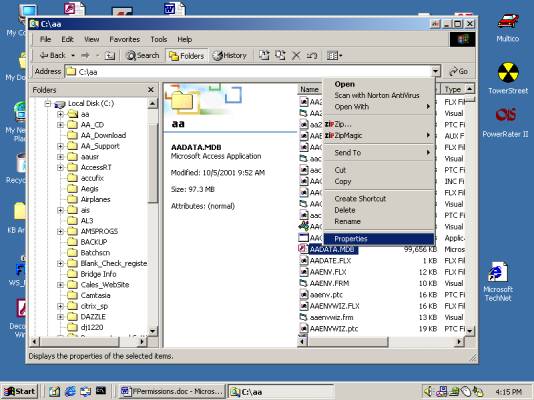
The next step you should take in changing your file permission is you should locate the file in the Windows Explorer that you want to change. You then right click on that file and choose Properties.

Written by: Keith Bradford